








Motivational Quotes Screensaver
Écrans de Farce


Écrans de Fausse Mise à Jour
.webp "Fausse mise à jour macOS")
Écrans de Couleur
Fonds D'Écran




Écrans Vidéo




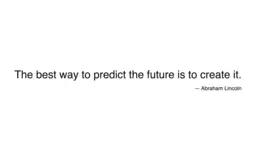
This is a free motivational quotes screensaver: clean, inspiring lines displayed in large type on a calm black background, ready to keep you focused and lifted throughout the day. You can adjust the text size, and you can add your own custom quote and your own author name, so the screen shows exactly the words that matter to you. Press F11 for fullscreen, let the words sit in front of you, and press Esc to exit. Nothing installs, and it works on any device with a browser.
Make It Yours: Text Size and Your Own Quote
This is not a fixed list you have to accept. Three simple controls turn it into your personal motivation screen:
Adjustable text size
Set the words as large or as modest as you want. Turn the text size up so a short, powerful line fills the screen and can be read from across a room, ideal on a TV or a wall mounted display. Turn it down for longer quotes or a small reminder on your monitor while you work. The right size depends on your screen and how far away you sit, and you can match it exactly.
Your own custom quote
Type in any quote you want and the screensaver displays it. A line from a book that changed your thinking, a mantra you are leaning on this month, a goal written as a sentence, a reminder you need to see, or an inside line that means something only to you. The words on the screen become yours, not a stranger's idea of inspiration.
Your own custom author
Add the author name to go with it. Credit the writer, leader or athlete who said it, put your own name under a personal motto, or attribute it to whoever you like. The custom quote and custom author work together, so the screen can show a favorite saying properly credited, or a private line signed however you choose.
Set all three and the screensaver stops being generic. It becomes a focus tool built around the exact words you want in front of you.
How to Use the Quotes Screensaver
- Open this page on a phone, tablet, monitor or TV browser.
- Set your text size, and if you like, enter your own quote and author. Otherwise let the built in quotes rotate.
- Press F11 for fullscreen and keep it in view while you work. Press Esc to exit.
What People Use It For
- A focus and motivation anchor. A spare monitor showing a steady, encouraging line keeps your intention in view while you work or study.A gentle reminder to get back to your work whenever you look up.
- Daily inspiration. Let the quotes rotate as a quiet stream of encouragement through the day, on a desk, a shelf or a kitchen tablet.
- Your personal mantra, always visible. Use the custom quote to keep one specific reminder or goal in front of you all day, the single most popular reason people reach for this feature.
- Aesthetic decor. Clean type on black is a calm, modern look for desk setups, studies and lo fi study streams.
- Events and shared spaces. Display a welcome line, a team motto or a theme for a gathering, an office, a classroom or a workshop.
- Streaming. A tidy quote screen makes a graceful starting soon or break screen, and the custom quote lets you greet your audience in your own words.
Why a Visible Quote Actually Helps
There is a simple, honest reason a quote on your screen does more than decorate. What you keep in front of your eyes shapes what you keep in mind. A goal or value you see repeatedly stays active in your attention, quietly steering small choices back toward it, while something out of sight slips out of mind. That is why people write goals on sticky notes and put reminders on mirrors. A quotes screensaver is the same idea on the screen you already look at all day, low effort and always there.
More Screens for the Collection
- A calm clock to pace your day is the flip clock screensaver.
- Distraction free darkness for deep focus is the black screen.
- Warm, calm light for a focused space is the orange screen.
Frequently Asked Questions
Can I add my own quote and author?
Yes, that is the main feature. Type in any quote you want and add any author name, and the screensaver displays your words instead of the built in ones. Use it for a personal mantra, a favorite saying properly credited, or a private reminder signed however you like.
Can I change the text size?
Yes. The text size control lets you make the words large enough to read across a room or smaller for a subtler look or a longer quote, so it fits your screen and viewing distance.
Do I have to use my own quote, or are there built in ones?
Either way. The screensaver comes with motivational quotes that rotate on their own, and you can switch to your own custom quote and author whenever you want.
Is this good for focus and studying?
Many people find it helpful. Keeping an encouraging message or a personal goal where you can see it can gently remind you of what you're working toward. That's why visible reminders are a common way to stay focused.
How do I make it fullscreen?
Press F11 in your browser, or use the browser's fullscreen option, so the quote fills the screen. Press Esc to exit.
Will it work on a phone, tablet and TV?
Yes. It is a web page, so it runs in any modern browser on phones, tablets, computers and smart TVs.
Is this quotes screensaver free?
Completely free. No account, no download and no watermark.
Related screens: A calm clock display is the flip clock screensaver · Distraction free black is the black screen · Warm focus light is the orange screen